AmiVision streaming on my Amiga 4000T and Pistorm Amiga 500
If you read my blog regularly you may remember a post I did as part of my Amiga 4000T build in 2023 covering (amongst other things) the creation of Amiga format CDXL video files using a docker containerised application running on my Linux PC. These generated CDXL files could then be played on an AGA Amiga using AGABlaster.
You can learn more about docker containers for linux, Windows and Mac on Wikipedia here if you want to learn more. Essentially it is a virtualisation container for hosting an application.
You can also do similar things on cloud platforms like Azure and AWS without needing a host computer (since Microsoft/Amazon allocate the necessary compute for the required container).
This concept for retro computers is an example of being a little clever and using the superior speed and CPU power of a modern computer/cloud to create content that can be used on a classic Amiga system that would otherwise not be able to generate it in a reasonable time.
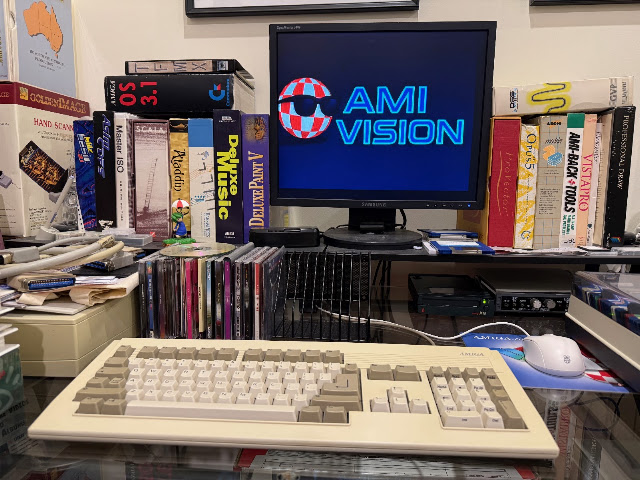
So now in 2026 we have AmiVision - which has an Amiga client which connects over the network to docker containers hosted on linux. This time, AmiVision to allow your humble Amiga to stream internet TV in real time!
I am aware of another similar application from the same author called AmiStreamRaider, which apparently allows you to view Twitch live streams on an Amiga using a similar technique. As this needs you to link your personal Twitch account to a interface-less docker container and re-activate every 4 hours, with no live chart support as yet, I was not so interested to try it at this time.
Maybe later though - for now let's focus on AmiVision.
Some things to be aware of straight up - there is some setup work involved, and it is not perfect streaming performance, even on a Amiga 060 system. Indeed, I think it is really intended for Pistorm and Vampire accelerated systems, where it works much better.
First, I decided to test on my Amiga 4000T 060 RTG system, since I was curious if it would work on it at all!
As regular readers would know, I also have an Amiga 600 which is Pistorm accelerated and a Amiga 1200 which is Vampire accelerated. I also tested it on my Pistorm Amiga 500 system and it works well on that (mostly), which I will cover later in this blog post.
AmiVision explains the installation process quite well on their website. I followed the instructions from the website, using my Dell Optiplex PC that is running Linux Mint as the machine to run Docker on.
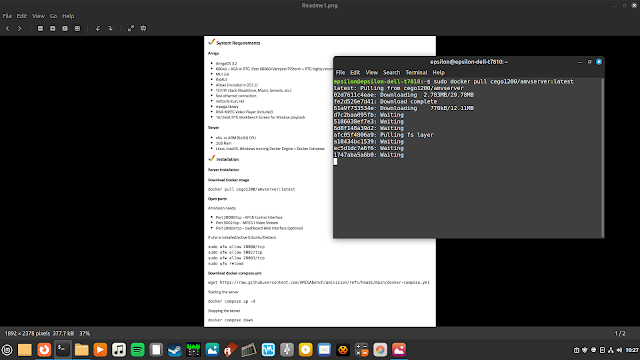
I already had Docker installed from my previous work with CDXL conversions on the same PC, so I could pull the AmiVision docker latest image from the repository in the instructions:
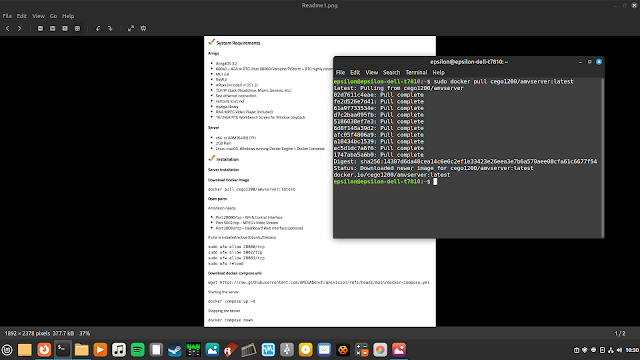
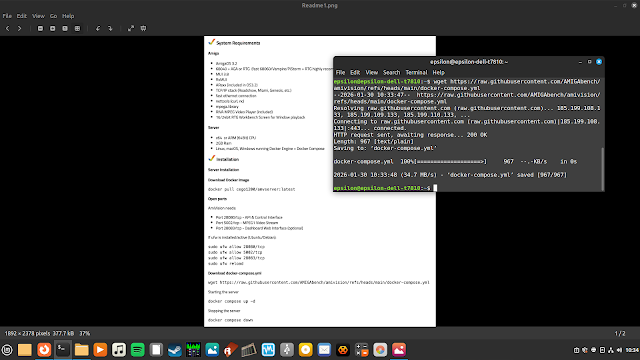
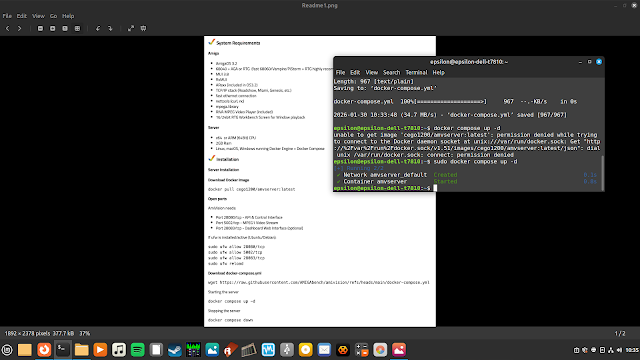
With that done, I noted the IP address of the PC, since I would need it to point the AmiVision client on the Amiga. I left the PC running.
I moved to the Amiga 4000T and installed the AmiVision software, and the rxMUI, netcat, mpega, and curl pre-requisities, which were included in the lha.
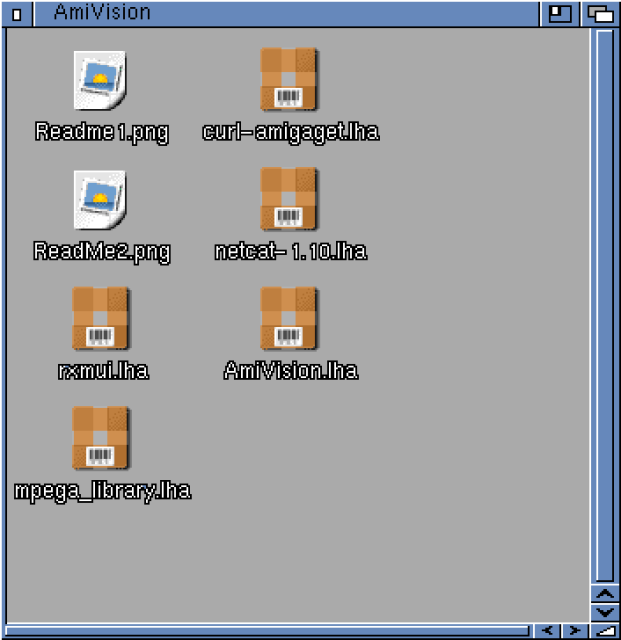
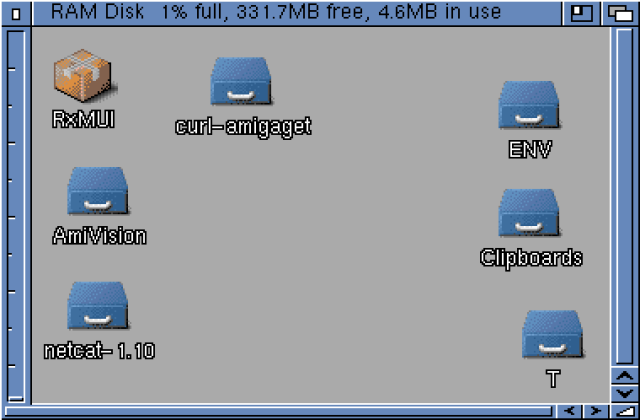
I extracted all the required files to the RAM disk, and got started with the setup work:
It goes without saying that your Amiga needs network access for this to work, along with a suitable TCP/IP stack.
In my case, I am using the commercial TCP/IP package Roadshow on my Amiga 4000T, which is running AmigaOS 3.2, and using a X-Surf 100 Zorro 2 card I got here from Individual computers. Works well on the Amiga 2000, 3000 and indeed I have one in each of these machines, with the now sadly hard to come by RapidRoad USB port expansion module installed also.
Note that a TCP/IP stack is not included with AmigaOS 3.2, or most versions of AmigaOS 3.x (I know AmigaOS3.9 has Genesis before someone points it out, which is a frontend wizard GUI to AmiTCP).
Roadshow is available to purchase from APC&TCP's website here for EUR25 for the digital download version. You can also get a physical boxed version with CDROM for a few EUR extra.
There are also older (free) TCP/IP stacks like AmiTCP, and some other commercial offerings that build off AmiTCP with an easy to configure front end - like AmigaKit's EasyNet Pro. If you are comfortable configuring AMITCP by hand yourself, you can do that for free with the last free version released on AmiNet back in 2012 here.
You can also get some PCMCIA wifi cards for your Amiga 1200 or A600 systems from Ebay or elsewhere quite cheaply that work with these TCP/IP stacks with the CNet device driver from Aminet.
For Amigas like the A500, the ACA500plus external plug in expansion card supports a network card option (which I use), and I covered this in my blog as part of my Amiga 500 build too!
If you want to, you can even use a cheap Plipbox parallel port network connection solution (pre-built or build yourself) - which (you guessed it) I have covered previously in this very blog.
I guess the point of all this information about network options is to show that it is not so hard to get your classic Amiga onto your local network and internet in 2026. I read plenty of people complaining about having to do it, but there is enough ways to do it that suit most budgets that it shouldn't really be an issue.
And if you are emulating the Amiga on a modern Mac, Linux or Windows PC, it is no issue at all since the network connectivity can also be done on that too, with no hardware needed.
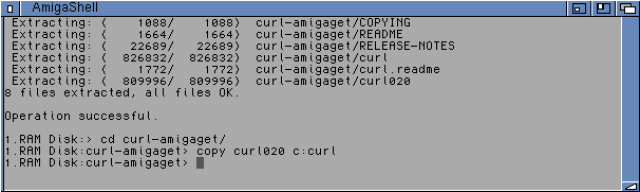
Anyway, let's move on to setup AmiVision on the Amiga 4000T. I set to work putting on all the pre-requisites (note that netcat and curl executables should be in the c: directory on the AmigaOS 3.2 system drive). I copied them using the AmigaShell:
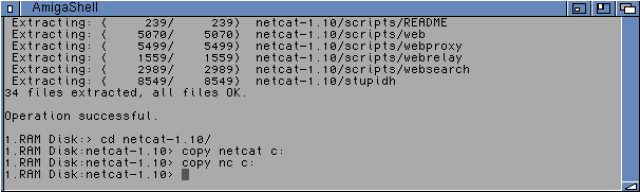
You could show all files in the AmigaOS 3.2 drive, navigate to C and then drag and drop from Ram disk also, but I find AmigaShell way faster for this task. YMMV.


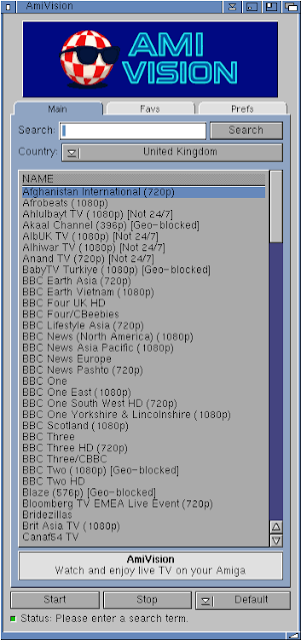
On the main tab, you select the country you want to search for channels on - sadly Australia is not in the list - I will try out United Kingdom and United States since I expect they would have the most number of channels to test with:


By default it streams in a window, and you will need to change this if you plan to use AmiVision on a Amiga with a 68060 CPU. It can't keep up - the stream is choppy and audio too:


AmiVision on Amiga 4000T - streaming TV channels direct from the internet in 2026. :-)


The upgrades included multiple updates to the Emu68 firmware too, all handled by the AmiKit XE updater automatically.


One of the updates is AmiFox, which uses a internet based server to render modern websites to work on AmigaOS!

You can also choose to host the chrome server backend yourself - the alb42 website provides more information about AmiFox if you want to learn more about it.

I set to work installing the Amivision pre-requisites and AmiVision software client, the same steps as I did on the Amiga 4000T, so I won't repeat them again - it works the same way.

With AmiVision installed, I can try it out with the Pistorm CPU, which is a lot faster than the 68060 CPU in the Amiga 4000T.


Using the Pistorm Amiga 500 system with AmiVision gives me a watchable live stream of TV channels straight from the internet (well, via the Linux PC docker container application):

Sound and video are mostly perfect and glitch free, proving that the performance issues I found with my 060 Amiga 4000T are most likely simply down to the CPU speed.


The default window size works well, the bigger window sizes start to show some slowdowns, but watchable still:

Switching the preferences to full screen, I found that 720p works quite well too:


Especially if you are, for example, streaming a music tv channel while checking out the latest releases on Aminet:
