Kyvos gives us AmigaOS 4 Sam460 emulation on Windows, Linux and Mac
So naturally the first question for most people reading the title of this post is, what is Kyvos?
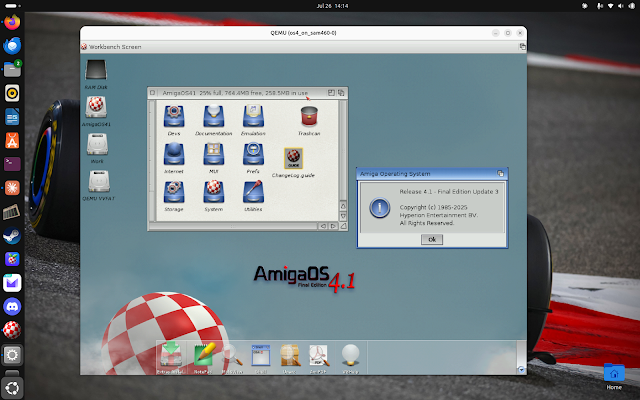
It seems you can't currently purchase real physical Sam460 systems - they appear to be out of stock on their website. You can still buy the AmigaOne A1222 though if you want a physical AmigaOS 4.1 FE system.
By being able to use QEMU PPC support to run AmigaOS 4.1 as an emulated Sam460 system, we can (in theory) much faster CPU emulation, with many GB of memory and bigger unconstrained hard disk sizes. Also there is development in progress OpenGL support to explore, opening up high resolutions and hopefully in the future the ability to play some of the AmigaOS 4 games that need the more advanced modern graphics cards and 3D features now supported on the physical AmigaOne systems.
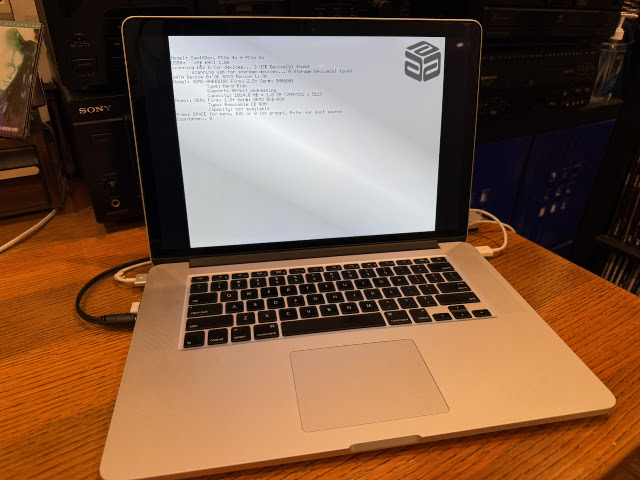
There is a free 1.8.2 version of Kyvos, and a paid version 2.2 you can buy for a small fee.
I played around with Kyvos last year, but didn't have much success with it then and quickly gave up.
With several updates since then, I decided to try Kyvos again in 2026. First with the free 1.8.2 version (i didn't see much point in buying the paid version until I got it working!).
This time I (eventually) got Kyvos working!
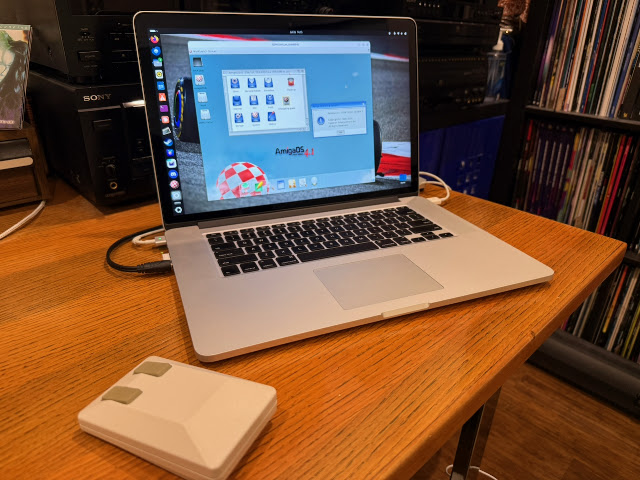
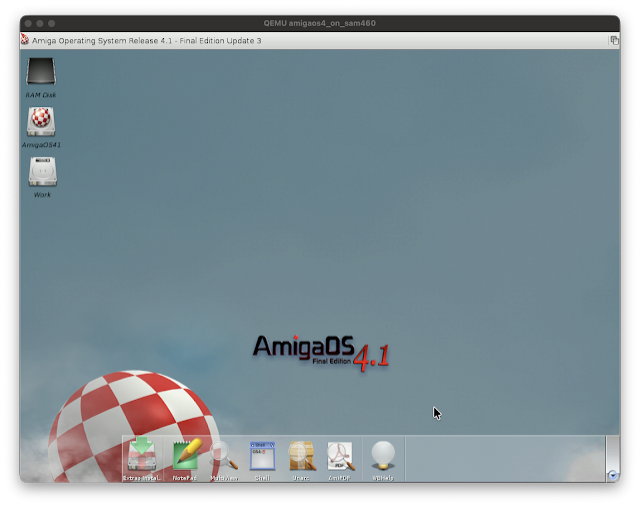
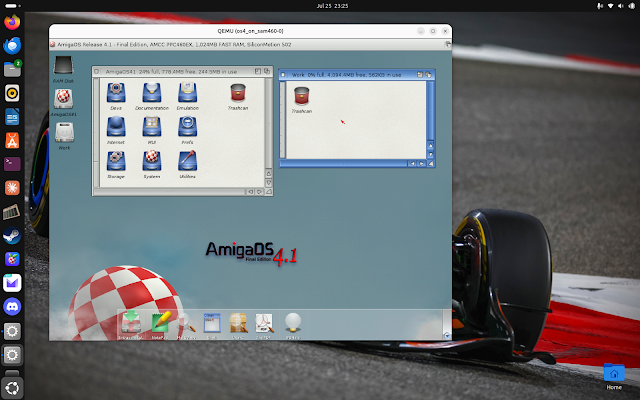
Make sure you follow the instructions in the included documentation carefully. There is a lot of detailed steps, and you have to do them all.
Working on my Ubuntu 26 MacBook pro, I set to work installing the various dependencies needed for Kyvos via apt-get install commands in the Terminal.
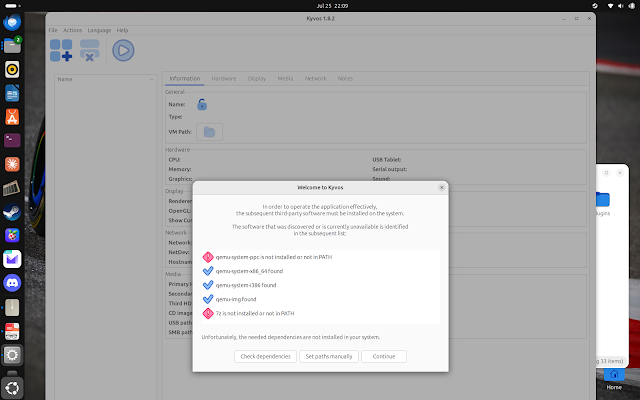
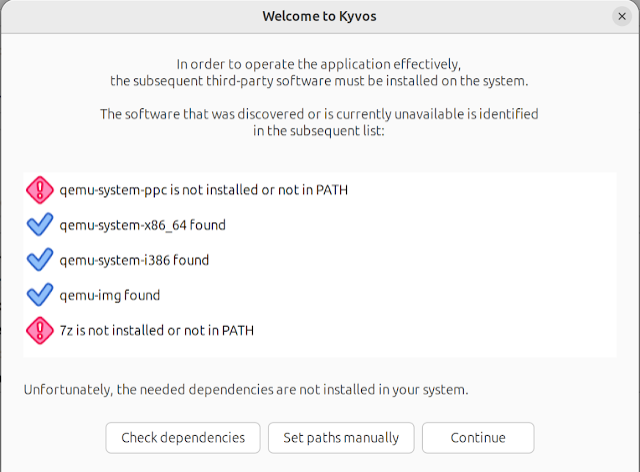
Eventually I got all the programs needed installed on Ubuntu and the Kyvos requirements checklist passed and let me proceed.
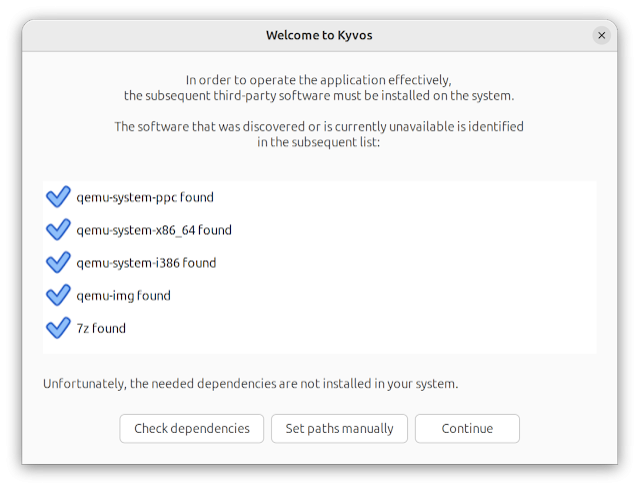
Next it needs to download some more files to proceed. Unlike the dependencies above, it offers to download them for you. Seems to me this would be an obvious area to improve in the setup to make it easier.

No idea where it is downloading them from, but obviously you need internet access! Once done, it checks again and allows me to proceed.

I then followed the instructions to setup the initial virtual hard disk image needed for AmigaOS 4.1 Final Edition to be installed on:

It defaults to 512MB but I increased it to 1024MB as I know that is a bit too small. Disk was created successfully.

Next is creating the new Virtual Machine in the Kyvos GUI that will run using QEmu.

With that step done and VM created, I can close the window and see the new VM in the Kyvos GUI:

The Kyvos setup takes care of connecting the hard disk to the VM, and setting up all the settings needed in the VM, and attaching the AmigaOS 4.1 Final edition iso file to the system. So all you have to do here is power it on!

And voila, AmigaOS 4.1 Final Edition installation CD has booted up in QEmu and ready for me to start preparing the hard disk for installation!


I then prepared the partition on the hard disk, again following the instructions closely for the required configuration of the hard disk, using SFS/02 and updating the max transfer flags.


The changes to the hard disk require a reboot to be seen, so I got that done.

After that I could boot from the CD ISO again and then start the AmigaOS 4.1 Final Edition installation to the hard disk:

I selected DH0 as the target and then got it to format the disk since that has not been done yet,


It was at this point it, umm, well, failed. completely.


Undeterred, I rebooted Ubuntu and tried again. This time it worked fine. No idea what happened!

The copy of files got underway and I went for the obligatory coffee.

Copy was completed successfully and installed on the hard disk.

Reboot time:

After the reboot I got a purple desktop screen which was very hard to read. The documentation mentioned this issue, and that I needed to change the screen resolution in the Workbench.


Now I have a working Sam460 emulation on Ubuntu 26 on my MacBook Pro!

There is still plenty of setup work to do though! I powered off the emulation (closed the window)

I booted up the virtual machine again, and ran the Media toolbox to prepare the second hard disk for use, as I did for the original one which is now DH0. AmigaOS 4.1 FE can see the new hard disk I created:

I then confirmed the size settings were detected correctly - no boot loader needed on this drive as it is not the boot drive. All good.

Next I created the new DH1 partition and setup as SFS/02 file system, as I did for the DH0 partition, and updated the MaxTransfer field too.

I saved the changes, and the drive then appears on the desktop. This then allows me to select it, and select the format disk option from the top title bar menu on the Workbench screen.

With that done, I now have a drive with some decent space. The next issue, how to get data onto it?

Well before I get to that, I had a more annoying concern to resolve. Namely, how to launch Kyvos on Ubuntu 26.

Sadly there are no instructions for this part in the documentation included. At least, I didn't see any. So, being the modern world of AI tools, I consulted Claude on how to do it..missing dependencies it seems.

You see that it doesn't take long to be reminded that Linux is a serious pain in the arse when things don't work. Missing libraries, missing dependencies, editing config files, using command line terminal commands.


This is something I really would like to see improved - it is much too difficult, and requires plenty of familiarity with linux to do. Even though I do know linux a bit, I am not an expert in it, and still needed to research to get it working.


I then launched the VM and AmigaOS 4.1 FE workbench desktop appeared with the 500MB usb drive now mounted on the desktop:

I extracted the two archives to the DH1: drive:


I then stepped through the Update 1 install, which proceeded with no issues:


After a reboot, Update 2 was next, and again proceeded without a problem:


After the reboot we are now on AmigaOS 4.1 Final Edition update 2.

Next was downloading Update 3 (released last year in 2025) from Hyperion's website. As mentioned, you need a login there, and register your copy of AmigaOS 4.1 Final Edition (serial number) to it in order to be able to download the update files.

With the files downloaded, I could then transfer the files to the 500mb_usb folder:

Note that the virtual machine cannot see the updated files when you update them from the Ubuntu/Windows/Mac side. You need to close the VM and relaunch it.

I extracted the Update 3 and ISO file to DH1 also. The reason is so I can use it from within the emulation without needing to connect it to the ISO option every time.


I also created an Applications drawer on DH1. My intention is to store applications here rather than on the system DH0 drive.


I then proceeded with the AmigaOS 4.1 FE Update 3 installation:

Again, as with Update 1 and 2, Update 3 installed without any problems:


With the reboot done after Update 3 installed, I now have an update to date AmigaOS 4.1 Final Edition installation using Kyvos:


I changed the Kyvos configuration to launch full screen rather than a window, and so now it feels much more like a AmigaOS 4.1 Final edition system rather than Ubuntu..


Naturally I wanted to install lot more software on the machine, so I moved over to my AmigaObne A1222 system to transfer files to a real USB stick. Many GB's of files.

Being limited to 500MB usb stick means I had to be careful with how much I copied into the folder at a time to install. So initially I wanted to work on installing the A-Eon Enhancer package:

This Enhancer package provides more gfx driver support, many applications, tools, drivers and libraries.

It takes a long time to install this package because there is a lot in it. So I watched some TV (F1 actually) while walking through it.

I got to work - I won't bore you with all the steps - I have covered the Enhancer installation on this blog before if you want to see all the details of it.

The installation completed successfully.

Enhancer includes the x-dock as a replacement for the standard Amidock included with AmigaOS 4.1 final edition - your own decision on which one you prefer, but make sure to disable which one you don't want so you don't end up with two of them on every boot - you can turn on and off in the WBStartup prefs:


With that sorted, I can now use the updated graphics drivers included in Enhancer to increase the screen mode to something far more appropriate:

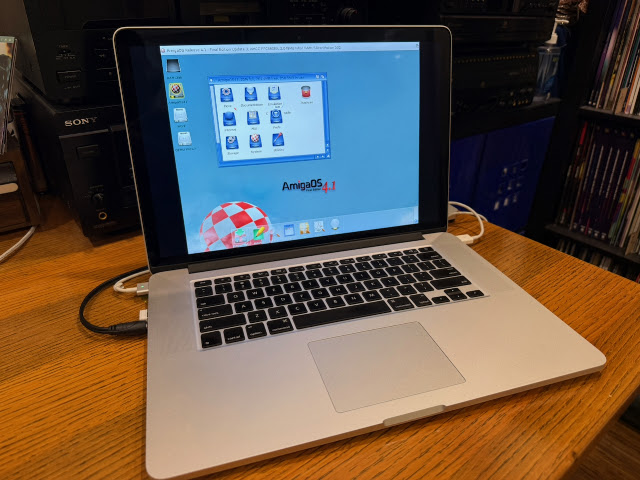
Now AmigaOS 4.1 FE looks great on the MacBook Pro:


I selected LAN connection type and used the RTL8139 driver:

I used DHCP settings and the wizard completed successfully.

The network was brought up and I tested it - all good:


I fired up iBrowse (which can be installed from the AmiagOS 4.1 FE ISO via the Extras installation (as shown in the Kyvos instructions) to check internet is working and sure enough - all good. Uses the wireless connection on Ubuntu 26 just fine!


At this point, since the setup now worked on MacOS and Linux, I decided to take the plunge and buy the 2.2 release of Kyvos from the author.

On my Windows 11 laptop, I created an AmigaOS4FE folder on the root c:\ to keep all the files in.

I can use SDL support fine with Kyvos on the Windows 11 laptop, and I power it on and it booted up as I expected it to.

One thing I found is that I had to ALT tab to switch between the BIOS emulation and the main emulation for some reason. On the other machines this ran from one emulation - not sure what is happening there.

But it works fine.

As I took an earlier hard disk build, I had to re-setup the internet connection under amigaOS4.1 FE again, but this was quickly done and worked fine as per the instructions:


I tested with iBrowse and it accessed the internet just fine, which will make updating it much easier now.

I noted that there is a some software uploaded to allow host file system mounting from within AmigaOS 4.1 FE - I'll have to try that out later!

I copied across some games to try out. I should mention a few things here for this - openGL games require the virtuoGPL driver, whnbich apparently is included in a future enhancer version from A-Eon and is not pubnlically available at this time.


BOH worked well also:

The Legend of Edgar was another game that worked well on the emulated AmigaOS 4.1 FE system on my Lenovo laptop:


Playback of MP3's in AmigaAmp while doing other tasks was also fine, no slowdown or problems.

Mounting the AmigaOS 4.1 FE ISO within the AmigaOS 4.1 setup also worked well, allowing me to install the extras from the CD.

Quake (using non-accelerated mode) worked ok in the beginning as shown below, but in the main levels in the game, the levels were completely dark so I guess it is using some effects that need the OpenGL support.


Candy Crisis and Hexen worked well:


The AmigaOS 4 port of Metal Slug also runs well too, as does Gigamania (Mega Lo Mania clone):


I am looking forward to explore further and keep a close eye on the future development for Kyvos, as there is a lot of active development in this solution at the moment. There are many updates in 2026, and future plans working with A-Eon for OpenGL support is exciting - opening up more games to work under emulation using Kyvos without having to own the original hardware.