MorphOS 3.20 with Papio Office, Claude AI and more on AmigaOne X5000
It has been quite a while since I did any mucking around with MorphOS. It doesn't mean there hasn't been any activity in the world of MorphOS - just I didn't have the time to focus on it. Indeed MorphOS 3.20 is now released in 2026 and I wanted to try it out!
In addition there is some interesting new software available for it I will try out here on MorphOS 3.20, like the Papio Office suite, Claude & OpenAI client, Momento Photo manager, Wayfarer web browser and Iris mail program updates and more! Let's dive in!
The last time I played around with MorphOS seriously was on the X5000 back in 2020, installing and running MorphOS 3.12! You can read more about that on my blog post: MorphOS 3.12 on X5000
My Powerbook G4 systems that run MorphOS are stored away, and I don't really use them anymore in 2026 as they have various hardware issues with USB ports and displays, which makes sense - they are over 20 years old after all.
MorphOS 3.20 apparently supports the upcoming Mirari PowerPC system board, which will make it the first available to purchase (new) system since the AmigaOne X5000 in the late 2010's. But Mirari is not yet available, so that leaves me with the X5000. Which, along with the supported Sam460 system is also no longer for sale. That said, Acube systems announced recently they are also working on a new PowerPC board called Tyche to replace it.
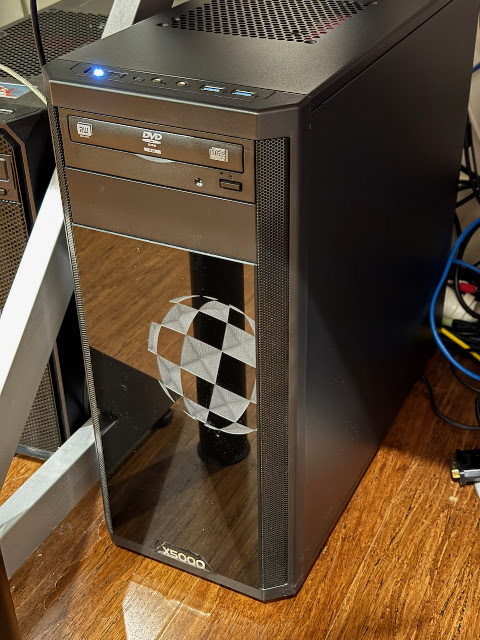
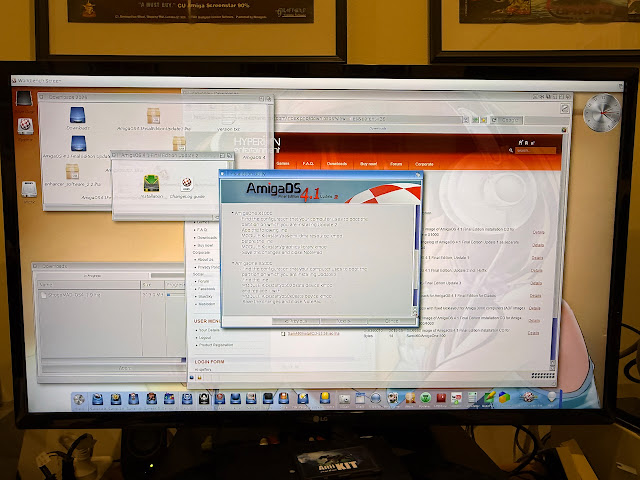
The AmigaOne X5000 can run AmigaOS 4.1 Final Edition and also runs MorphOS, and that system has been stored for a long time. The reason for that is because the last time I fired it up, it didn't work at all.
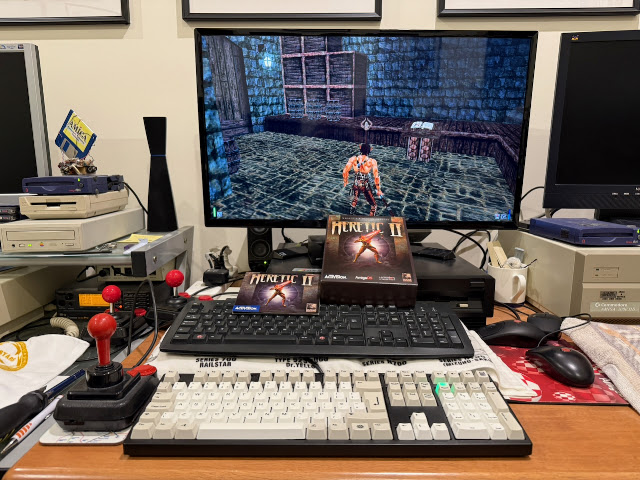
Quake 3 also runs well.
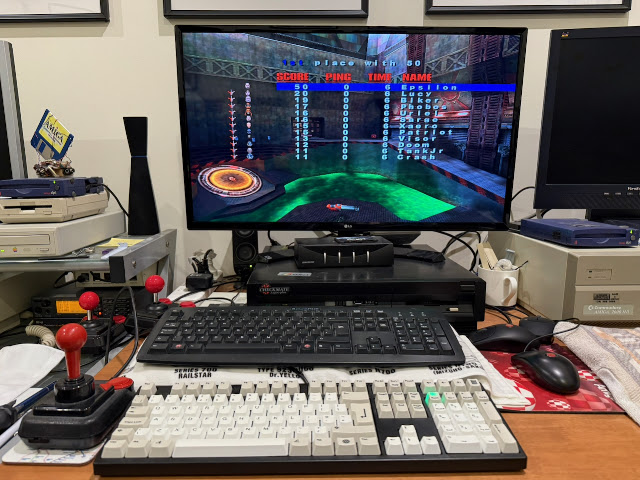
Anyway, I then powered down the X5000 and removed the graphics card, since it is not usable on MorphOS.
To move forward, I will need to get a new graphics card that is supported for 3D and 2D overlay support under MorphOS.
Graphics card support on MorphOS is much like AmigaOS 4, that is, patchy.
There are specific ATI/Radeon cards that are supported under MorphOS, but only a small number of those actually have full 3D hardware and 2D overlay support.
Without this support, games and demos don't run well at all. So, you need one of these cards if you want to do this.
I previously bought a X1950 ATI Radeon card for the X5000, as it was top of the pile performance wise for MorphOS at the time. Sourcing it was hard as these cards are quite old now, and it came from overseas.
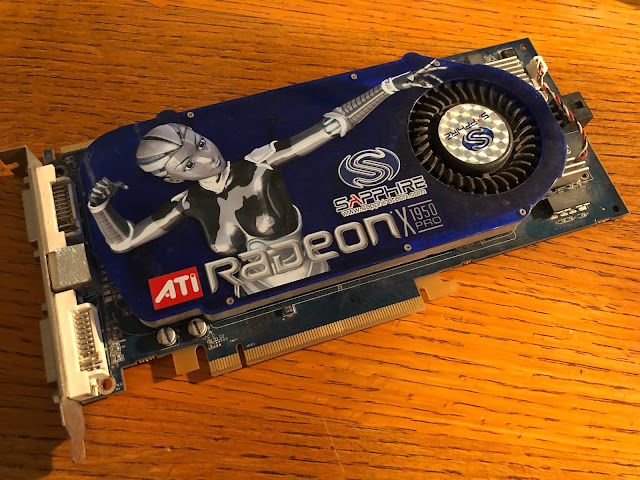
Given this card has now completely failed, I had to find a new one and sure enough, six years after the last time I bought one, I couldn't find one.
I searched through the model numbers on the MorphOS support site to locate a model with 3D and 2D overlay support that I could actually find.
Eventually I found this ASUS X1600 PRO PCI-e graphics card. It was available locally and quite cheap.
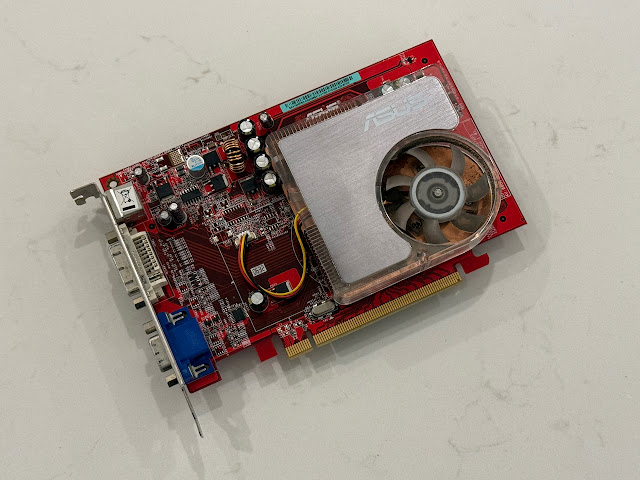
This card has DVI and VGA output (and S-Video). No HDMI but having DVI means I can use a DVI to HDMI converter to connect to my HDMI screen.
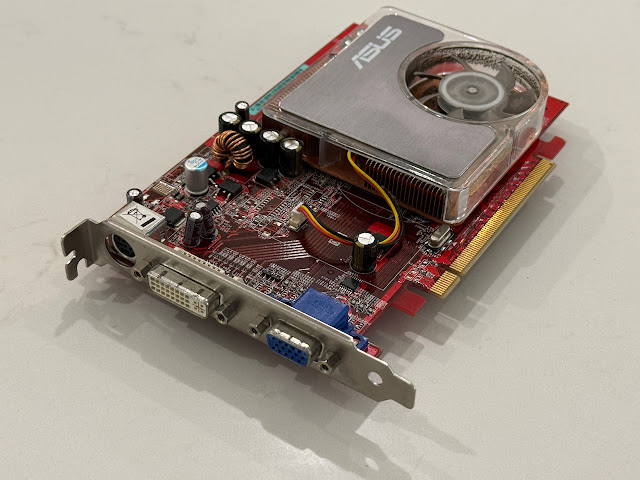
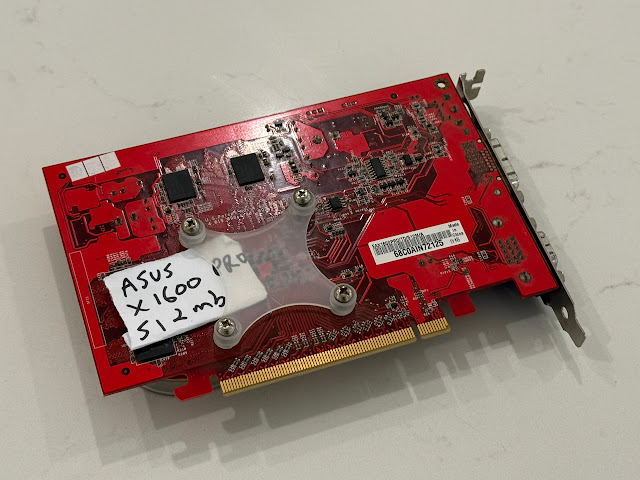
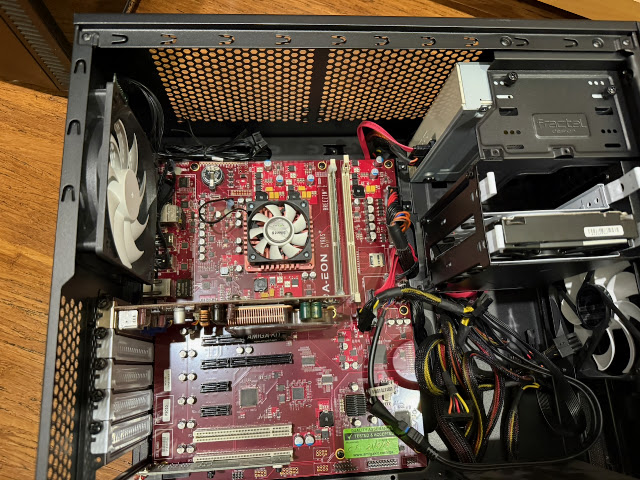

Here is the new X1600 graphics card installed in the X5000.

With everything installed internally that is needed for MorphOS in the X5000, and case now closed up, I burned off MorphOS 3.20 to a CD-R and booted from the DVD drive from the early boot menu.

MorphOS 3.20 boots up from the CD quite quickly.

MorphOS boot speed is so much faster than AmigaOS 4.1 final edition on the same hardware, even when using the CD! More importantly, I had a display and the MorphOS desktop soon appeared at full resolution, showing the new card works well.

I then set to work on the installation work:

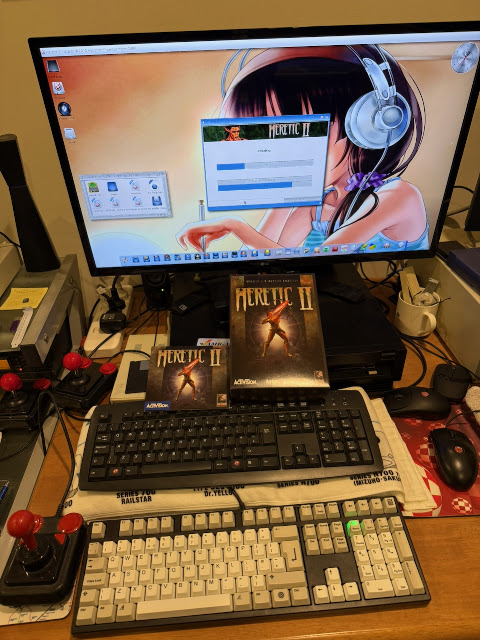
In case you are wondering, the HDMI screen is being shared between the Pistorm 500 in the Checkmate 1500 plus case, the AmigaOne A1222 and the X5000. That's why the pile of keyboards and mice in the photos.

I have covered the installation of MorphOS many times in the past, so I don't plan to repeat that again here. You can look back at some of my earlier blogs posts here for more detailed step by step process - it has not changed much since then.

One thing I did do differently though is I adjusted the default size of the System partition, as I wanted 10GB for it.

The rest of the disk I will sort out later.

The installation then gets underway:

Install now completed!

After the reboot I removed the CD so it boots from the newly installed hard disk partition:

MorphOS's workbench screen is called "Ambient" and the nicest thing to say about it is that it is "Amiga-like". It has some functionality carried over from AmigaOS, but adds plenty of new functionality and features. Windows have DOpus/Windows style function menu buttons, iconify buttons and more.

Icons are true colour PNG and look very nice. It can display normal Amiga icons just fine too.


I found I needed to use SFS2 file system in order to create partitions above the 128GB barrier limitation that the default file system type forces on you.

I could then save the drive configuration, reboot and format the newly created drives.


You see the DH0 partition setup below:

Here is all the volumes from the AmigaShell - there is a MUI version of Shell under MorphOS, which allows for tabbed shells, and more options too:

The interface of MorphOS 3.20 is clean and crisp:


The single Preferences application in MorphOS brings up an older MacOS X style preferences application divided into sections.


Anyway, back to MorphOS, where it's display settings are an obvious copy and paste from Windows display preferences, with some additions naturally.

IControl from AmigaOS has been changed a lot in MorphOS, wirth many options and screen/desktop settings too:

Date/time settings look nice, with internet time syncing available too if you want it.

The USB stack is Poseidon, originally an add-on software and drivers for USB support on AmigaOS, but now fully integrated into MorphOS.

Anyone familiar with Poseidon on AmigaOS will feel right at home here.

MorphOS uses Panels as a replacement for the Amidock in AmigaOS 3.9. By default there is no Panels configured in MorphOS. You need to add them in yourself. Personally I think they should create a default one with a handful of important things in it, so people know it even exists!


Ambient settings also allows you to customise what menu buttons are visible on the windows on the Ambient desktop:


MUIProCalc is certainly nice, providing a full scientific calculator, rather than the usual basic ones operating systems come with:

The included graphical editor works well also:

The Graphics board application shows the Radeon X1600 series graphics card I have installed in the X5000 - the OS only detects 256MB though, when this board actually has 512MB installed:

The CyrusPlus Thermals utility shows the CPU usage and temperatures internally in the X5000:

Looking at the WBstartup drawer next, we see a Mixer application which is run at system startup:

Again similar to the Windows mixer application of many years ago, it is conformable and easy to use:

In AmigaOS 4 the mixer is an add on from Enhancer pack, and for Amiga OS 3 it is only available for sound cards with mixer applications included with them, like the AmiGUS and Picasso IV concierto for example. MorphOS has it built in:

Some games are also included with MorphOS, like Wordy, which is based on the popular Wordle game:

You need to guess the word in 6 guesses. You get some tips on whether each letter in your guess is the right letter in the wrong place, or in the right place, or not the right letter at all. Rules are shown below:

It is fun, still, in 2026 to play this game:

I lost - by the way, is SEGRE even an English word? I have never heard of it.

Diamonds is another included game - a candy crush variant:


A web browser called Wayfarer is also included, based on webkit and still being actively updated in 2026. Compared to the old Odyssey on AmigaOS 4, Wayfarer is way more advanced and much more capable in terms of websites that work with it.

I tried ABC news website, which works quite well on Wayfarer:


Playback of videos works well in Wayfarer too, but the screen grab software doesn't grab it unfortunately. Looks like Japanese fonts are not downloaded with the download fonts option in MorphOS either.


So, I got to work installing SDL, and a number of other applications for MorphOS 3.20:


As you can imagine, this was going to take a long time - days as it turned out. Sadly copying over network is slow with so many small files - I probably should have just connected a hard disk to the system. But anyway, whatever.

One new addition to MorphOS 3.20 worth covering is the new backup software called MirrorBackup, which is included in MorphOS as supplied:

You can backup your drives to a local partition, or a network drive if you want:


For whatever reason, backing up to QNAP didn't work for me:

Backing up the system to a drawer on another partition though worked well:


I have MorphOS native demos to try out on it too, like this music disk Saturday's at Joe's, although there is only a small number of scene demos native to MorphOS:

If you run some classic AmigaOS 68060 demos that are compatible with MorphOS like the Elude demos in the mid to late 2000's, they run quite well - indeed, I can run two of them at the same time on the X5000:


Sadly not all software downloads are working - AmiNetRadio for example doesn't. It used to, so I guess whoever is hosting it has taken it offline.


I needed to install the CAMD USB driver for MorphOS so it would work with the Horny MIDI sequencer. Once done I could select the UM-1 as MIDI output device in the Horny software.

I really enjoyed listening to a number of MIDI songs through my X5000 on MorphOS 3.20:


Tower 57 was a kickstarter released retro style run and gun shooting game for AmigaOS 4, MorphOS and on Steam for PC/MacOS. It is still a lot of fun to play using MorphOS 3.20 in 2026:


That said, MorphUAE is a great modern solution for running Classic Amiga games and legacy AmigaOS 1.3/2.0/3.1/3.2/3.5/3.9 setups if you want it.


Photos display quickly, and I am very happy to have a solution for this on MorphOS.

While I was in the mood for trying out new software, I bought Hollywood 11 and the latest Hollywood designer, which is software you can use to develop games, applications or whatever on MorphOS, and have it compile to work on AmigaOS 3, AmigaOS4, AROS, Linux, MacOS and Windows. You can even produce Android compatible applications!


It personally feels great to support such development software in 2026 - it allows us to develop software on MorphOS/AmigaOS4 or even classic Amigas and produce software that can run on all these platforms, Windows, MacOS and linux. It is amazing.


There is a bit of setup work involved in getting this client working on MorphOS with Claude (which is what I will use to test it), so I will cover a bit of that here as the process is a little bit unclear. I will also cover what it can (and can't) do.

Straight up, I realise a number of people don't want to use AI tools for such purposes. But then again, quite a few people do want to do it.


With that done, I next needed to download CACert files for the AI4MorphOS client to do TLS connections to Claude API. Mozilla hosts CACerts in the PEM format needed, so it is easy to download the file needed, and pop into the AI4MorphOS drawer on MorphOS.

The API key I generated from Claude platform website then needs to be added to the configuration example default.json file provided in the AI4MorphOS drawer - I followed the instructions provided in the archive and moved it to the config drawer, and that part worked fine.


I can now get to work with Claude in the AI4MorphOS client! I asked it to show the features of MorphOS 3.20 compared to earlier versions.


I went to the working drawer I created earlier and it has put the new hws file in there. (I did some earlier runs too)

This one is welcome_orig.hws. I opened it in the MorphOS editor:

I went to the Shell and used Hollywood to run it. Since this is a script, it is not a compiled executable yet - it needs Hollywood to run it at this stage.

The program runs on MorphOS just fine - simple, I know, but I was just testing it:

Next I fired up Hollywood GUI and created a project using the hws script I created with AI4MorphOS above.

It appears in my projects section of the Hollywood 11 GUI. I can run it from here of course, but there are also options to compile it into an executable. So let's do that next.

When I compile it, I get a bunch of options for the target executables to create:

I created MorphOS, AmigaOS 3, AmigaOS 4, MacOS (ARM) and Windows (x64) executables of this test program too.


Going back to the working drawer, I now have a number of new excitable files for the requested target systems:

Here are the MorphOS, AmigaOS3 and AmigaOS4 executable versions:

I ran the MorphOS executable and it works no problem! My first AI generated program on MorphOS!

Of course I can do way more, but for now hopefully this shows you the possibilities and that we can use modern AI tools on MorphOS 3.20.

