Enjoying Music Applications with Amiga 500 v1.3 System in 2026
Over the years I have spent considerable time upgrading all of my Amiga systems, with modern operating systems, hardware upgrades, and new software.
It is wonderful we have such an active Amiga community and scene that supports the ongoing release of new games, new hardware and new Amiga operating system upgrades in 2026.
That said, I also like having a simple Amiga 500 system, running Workbench 1.3 and having the software originally released in that era.
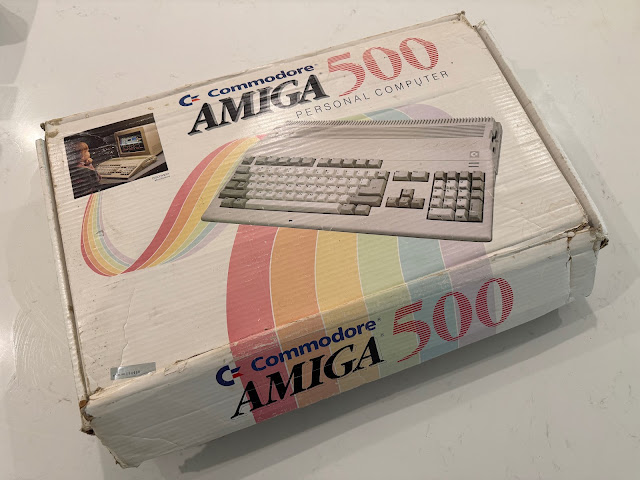
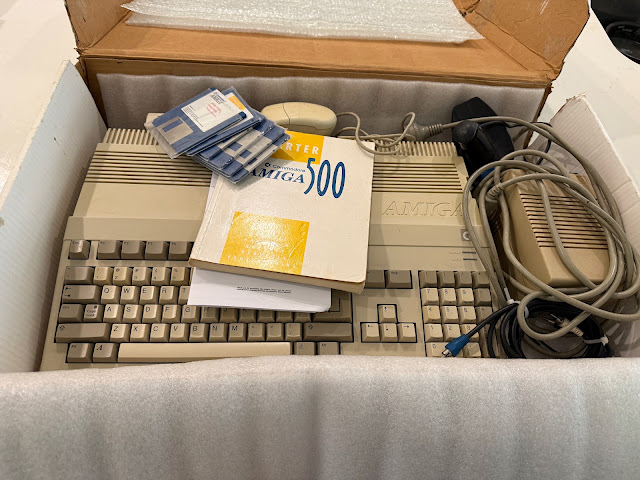
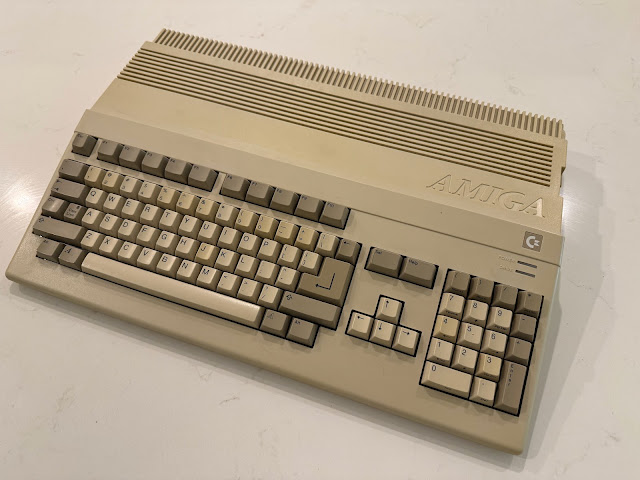
I recently bought this fully tested Amiga 500 second hand, to get a 1MB chip memory system - which was the later Rev 6 Amiga 500 motherboard system.
I spent some time covering some of these applications on my Amiga 4000T, which runs the latest AmigaOS 3.2, ZZ9000 RTG graphics card and hardware ZZ9000AV audio add-on, with USB support, tape drive, CD-burner and lots of other goodies. You can read more about that here.
People these days are generally more focused on getting and playing classic Amiga games rather than the applications on the Amiga.
This is a great shame, as the Amiga had a lot of useful applications released in its Commodore period lifetime. They pushed the boundaries of what a home computer could do.
We all know about the famous Newtek video toaster, but seriously - how many of us actually had the hardware and used it? It was a commercial application, and very few people had it unless they had serious money, an Amiga 2000/3000/4000 and a TV network to produce overlay graphics for.
The same applied for the high 3D graphics applications for the Amiga like Lightwave, Real 3D, X-CAD, SCALA and more. I never knew anyone who owned or used these when they were originally released. You need a seriously accelerated Amiga to make the most of them.
Later on in the Amiga's life, Amiga magazines bought the rights to distribute many of these applications on cover disks. So, they finally became affordable for people like me to try them out.
For me, I experienced Amiga applications via graphical and music applications that could run on a humble Amiga 500, which was my first Amiga. The music applications especially were close to my heart as I love making and listening to music.
Here is me on the family Amiga 500 after school in Perth, back in 1989. No hard disk, everything was on floppy disk.
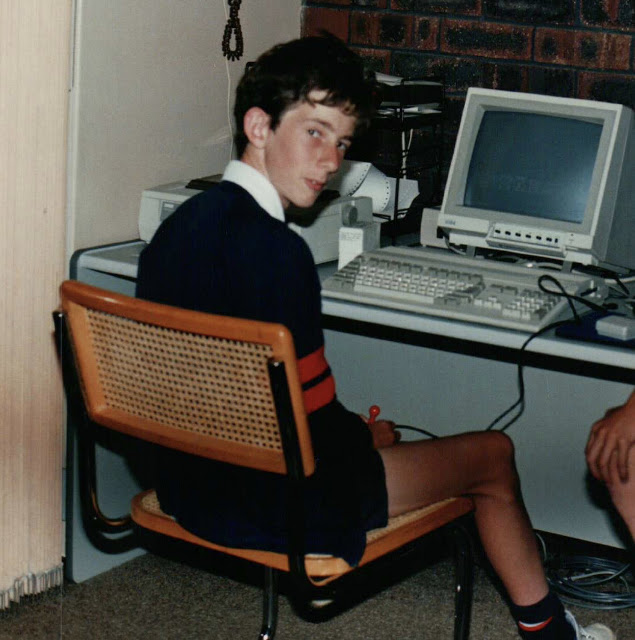
I had multiple friends with Amiga 500's at the time. When I visited them, they had attached hard disk expansions, mountains of floppy disk collections, and I was so envious of them. Money was tight and we didn't have money to buy a hard disk or a mountain of floppy disks for that matter.
So, I had always wanted a hard disk on the Amiga 500. Ultimately we never did - in 1991 we upgraded to an Amiga 2000HD and then we had a 52MB hard disk!
Ultimately, this is what drove me in recent years to get a Amiga 500 with the hard disk expansion I longed for but never got, the A590.
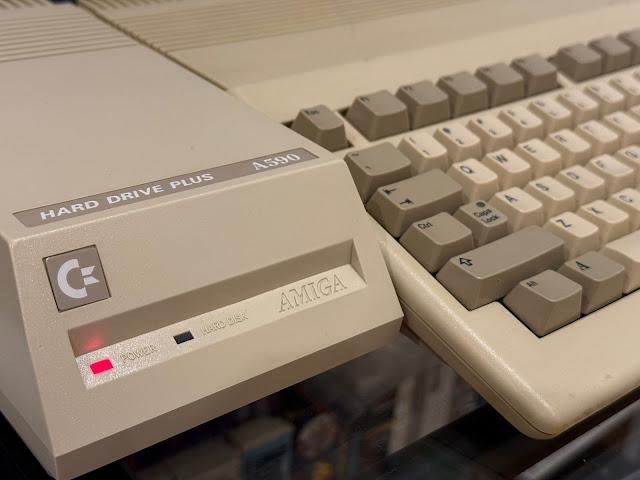
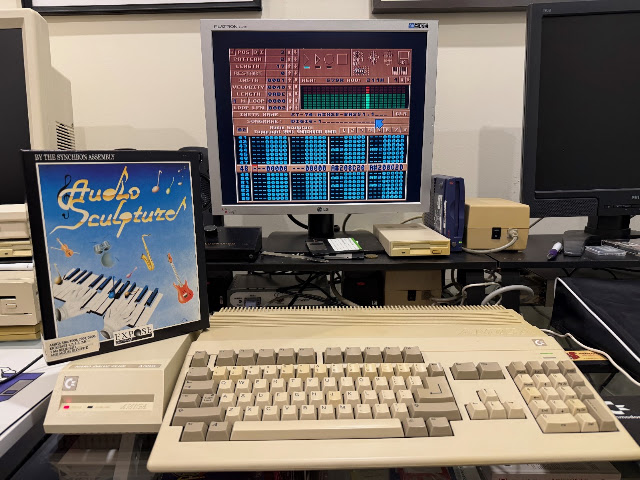
I wanted a period correct Amiga 500 system with the extra bits we couldn't afford to have back then. And now I have it.
My wife calls it "revenge purchasing" - buying things today that I really wanted, but couldn't afford or missed out on when I was younger. Doing such a purchase and feeling triumph by using it removes a long held desire or frustration from my mind - you could call it removing some long held unhappiness. It feels good! Perhaps you have the same feeling when you buy something you desired for a long time?
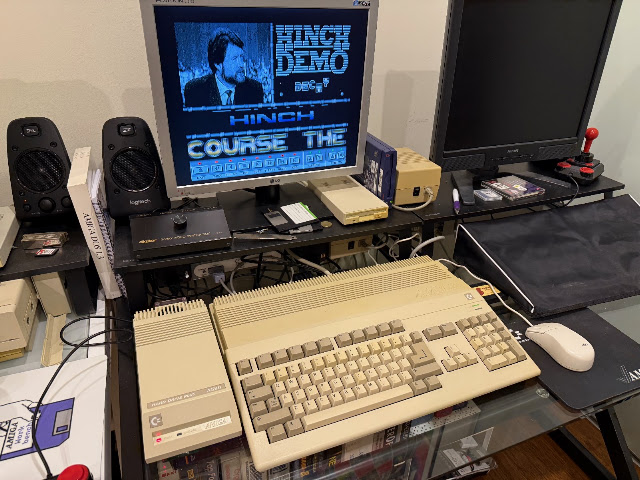
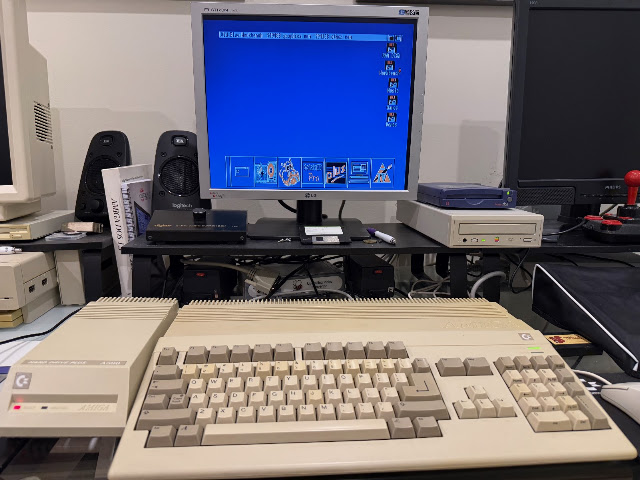
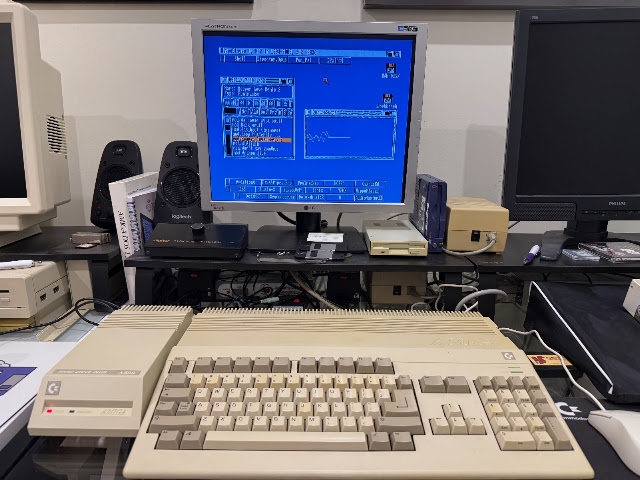
Today I want to shine a light on some of this amazing software for the Amiga, running on a simple Amiga 500 v1.3 machine with 1MB memory, 1MB on the A590 and a 2x512MB CF hard disks in 2026 - no fancy upgrades other than the recently released Old Blue Workbench upgrade for v1.3 on my hard disk.
No AmigaOS 3.2, No WHDLoad. No AGA. No AI slop.
My photos and words here also are the real deal - all mine. No manipulation - no AI generated shit. In 2026. You are welcome.
In 2026, they have all now been opened by me and used. :-)
Amazingly, in 2026 we still have new 2026 updated Amiga application software that works on Workbench 1.3 Amiga 500 system!
Easily for me the most interesting music player on the Amiga 500, with small memory footprint and wide module format support includes XM and S3M, amongst many others including MP3!
I use Hippoplayer on my OS3.x based Amiga systems too (and have done since the 1990's), but unlike most other players for the Amiga that are still updated, it is backwards compatible with Workbench 1.3 still. Long may it continue!


Delitracker supports 45 different mod formats(!), but this program has not been updated in a very long time on Amiga. You can get an old Windows version called Deliplayer also.


Without a training in music theory, I was all at sea trying to work out how to use this software.


I managed to track down a boxed copy of the Quartet commercial product in recent years.

The software only runs from the floppy disk - no hard disk installation is possible.

Songs are presented as 4 channels (2 left, 2 right) horizontally across the screen. You enter notes in each channel, and assign a limited set of available samples for some very Amiga sounding songs!

As I mentioned, the interface looks cool, but a bit hard to use. And the playback locks the screen display, so there is no realtime showing of the audio being played.


These days I have a Roland SC-55 MIDI device to feed the MIDI output from the Amiga 500.

In addition to this, there was an upgrade Sequencer One Plus available for those who got the cover disk from Amiga Format. I didn't get it back in the day as I couldn't afford it, but more recently I tracked down a boxed version of the Sequencer One Plus release, which upgrades the cover disk version.


Personally, I find Sequencer One a great piece of software for the Amiga for composing music with MIDI.


I used it for over 30 years now for MIDI songs on the Amiga and still find it easy to use in 2026.


The demo "Terminal" is included in the current AmiKit XE distribution if you are using that. I wrote a bit more about The Experience history in my tribute to our late coder and friend Mark here.
Protracker was released as public domain. It was free, and easy to learn how to use.

You could easily manipulate samples to include in your songs. The graphical equalizers over each channel on playback of your latest module creation was addictive to view, but also helped with fixing sound level and balancing issues.

I have spent many many weeks and months using this software to compose songs.


The pattern editing works as per any other Amiga tracker software, and easy to get to grips with.

There is also a Synth section in OctaMED to create synth based samples yourself.


An an aside, you can download a modern recreation of ImpulseTracker called Schismtracker for Mac, Linux, Windows, OS/2, Wii and even and older version for AmigaOS 4:


It has two RCA inputs one the back to connect RCA audio leads for left and right channel audio capturing.

For this testing, I used my Sony digital audio player to output audio to the DSS8 sound sampler using a phono to RCA audio cable.


The DSS8 sits nicely next to the MIDI port expansion I have in the serial port next to it on the Amiga 500!

Having loaded on the DSS8 sound sampling software, I could get to work trying it out:

Just go prove this Amiga 500 is a basic 68000 1.3 model, the DSS8 software has a section to advise the system specifications:

This is important to understand since the Amiga can only sample in so much data before it runs out of memory to store it. This also applies to playing module files - the smaller they were the better.

The manual is very helpful and shows me how to assign a new sample, and get to work recording it:

There are plenty of customisations you can do in DSS8 software for the sample you are about to capture - levels right and left, monitoring feature to allow you to adjust the settings and sampling rate too:

The screen freezes on purpose when the sound is being captured.

When the capture is done, it prompts for a name for the sample.

Having the sample now on the Amiga, I can modify the sample to my needs. In this case, I wanted a specific section - not the whole thing. The sample editor in DSS8 makes it easy to adjust this.

Having edited it, I saved the sample with a suitable name - this section came from a LoFi song, which suits the lower sampling rate of the Amiga well!

You can see the samples in memory displayed, and you can export them to an IFF audio file on your hard disk.


You can also playback the samples in memory, with many editing functions available too:


Since most sound sampler hardware uses the parallel port, the Audition 4 software works with most sound sampling hardware I have here.


I think Audition 4 and AudioMaster II are both excellent sound samplers. DSS8 also works very well - you can't really go wrong with any of them.


This is a complex piece of software, with multiple tools and functions to learn to compose music in a pipeline, shown graphically from left to right. The left side has the channel number, the sample being used, with the right side is the output, which could be MIDI, or could be internal speaker.


For those who played Turrican 1,2 or 3, you would be familiar with the very awesome music for those games, written by Chris Huelsbeck.

With the help of Google translate, I can read the German language manual and get the software installed on the Amiga 500 A590 hard disk. It also has a joystick port dongle that needs to be present for the software to work.

That said, I got it working eventually on the A590. DOpus was my friend to copy all the files from all the disks and I customised the startup-sequence from the floppy disk to work on a hard disk! :-)

The software included a number of Chris Huelsbeck classic TFMX tunes to get you started.


As an aside at this point, I was adding these music software I loaded onto the A500 to the dock included with the Old Blue Workbench. However, the icons took up too much space on the desktop. I found a solution by using just the names instead of the icons, and having multiple docks.

This is much better now:

Interestingly enough, one of the more well known music programs I never used until this year - Music-X. I read all about in in Amiga Format magazines back when it was released, but like a lot of software, I couldn't afford it! Now in 2026 I have it though! It says version 1.1 on the box, but it had the 2.0 disks also (I guess the previous owner got an upgrade disk package?) so I used them.

Music-X was considered one the best music editors on the Amiga on its release, with a lot of functionality for MIDI and song creation. It supports more audio channels than tracked music too.

It can operate as a MIDI sequencer, just like Sequencer One Plus, Bars N Pipes or Sonix.

Samples were more flexible too than trackers normally allow. You did need plenty of memory though!

Like the other music software, it can playback internal audio songs created in Music X with samples, or MIDI output.


This interface in Dr. T's KCS 3.5 is very different from Music-X:

For a 1.3 application released well before AmigaOS 3.x, it looks very AmigaOS 3.x in it's look and usage too!


This software uses a what you see is what you get interface where you use the mouse to draw the music you want to play on the timeline editor:

Interesting way to make music, for sure!


It has two sets of disks, one set for Workbench 2 and above, and a set for 1.3 machines. I already use this software on my Amiga 3000 under AmigaOS 3.1.4, but I had not used the 1.3 disks before now. Time to install it on my A500.

Like many other music programs I covered here, it fully support MIDI for song creation and editing. It uses a Sonix style music editor interface using traditional sheet music view and editing, but with a lot more functionality available.

While I was hunting around for music applications via Ebay, Facebook and elsewhere too, I came across a title I never heard of called "M".
Just M.

Turns out that M is a very detailed and complex music program that does a lot of music creation tasks in one package - MIDI support naturally, and song composition using the internal audio chip of the Amiga.


I definitely need to read the manual to learn how to use this software - it looks quite involved!


The manual is a tiny pamphlet which contains minimal information - so I wasn't able to get far with it yet. It has the usual pattern song editing method of trackers, with notes, instruments and steps

Another new music software I didn't know about was Drum Studio. Released in a small package with minimal documentation, I wasn't expecting much.

I fired up the example songs to see what it could do. It has a limited set of drum instruments and combination effects to work with, but looks like some small fun if you just want to dabble with creating drum loops for your creations.

I also got another music program called "The Music Studio" - this was released on Mac also. It shows, as all the information in it is for the Mac release! It supposedly works with MIDI also, with some editing features. Unfortunately the disk didn't work - looking at the state of the label on the disk (which should be white), I was not surprised.

I came across this "The MIDI Music Rave Recording Studio" music package for the Amiga recently, so I picked it up.

As expected, it works well with MIDI equipment connected to the Amiga, with traditional music score editing features like Sonix and Deluxe Music 2. It has a built in Sampler as well.


You can also use a grid view rather than traditional musical score view to see the keyboard inputs from MIDI in real time.


With the software installed, I disconnected my MIDI device from the serial port, and connected the Miracle keyboard cable instead. The other end of the cable is connected to the "Miracle port" on the back of the keyboard.

The Miracle Piano software soon launched:

I set up my user profile to get started with the lessons, run on the Amiga.

Time to learn how to play Ode to Joy!

As you press the keys on the Piano, it is shown in the software in real time on the Amiga.

The software on the Amiga detects if you are doing the right thing and quickly let's you know if you don't!

Miracle Piano system is an interesting musical software package, and the tight integration between the keyboard and controlling Amiga software is excellent.
