Amiga updates Mar-Jun 2026
As I have been not well and not updating the blog over the last two-three months, you might assume I didn't do a lot with my Amigas during that time.
Not so.
First off, I have picked up a number of new release Amiga games in 2026 for starters...I am a big believer in buying and supporting new release titles for the Amiga, Mega 65 and C64 especially.
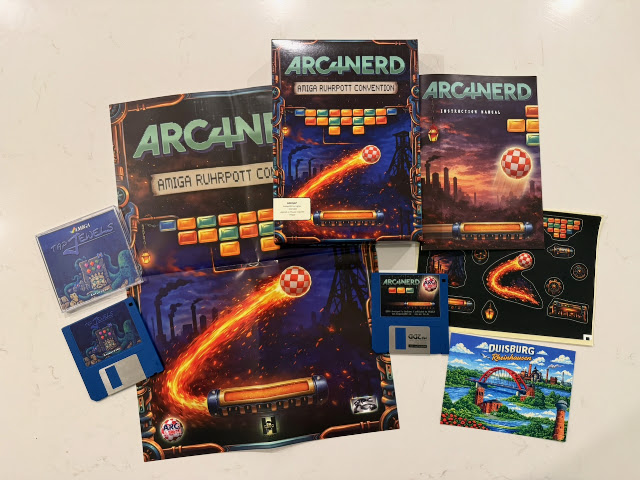
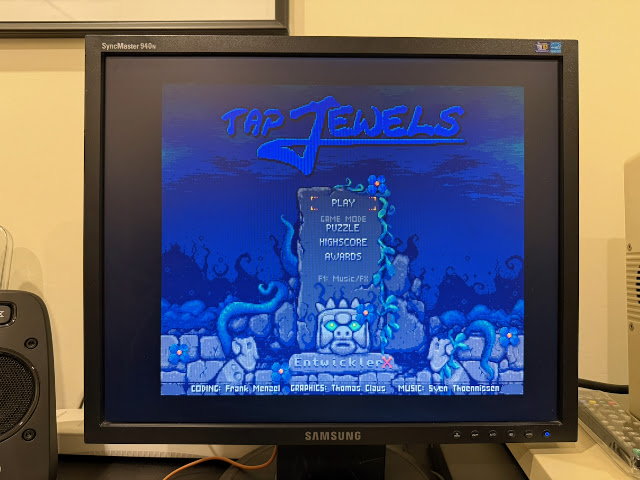
First up is Tap Jewels and ARC4NERD I bought from Alinea computers, both work on a 1MB Amiga 500.
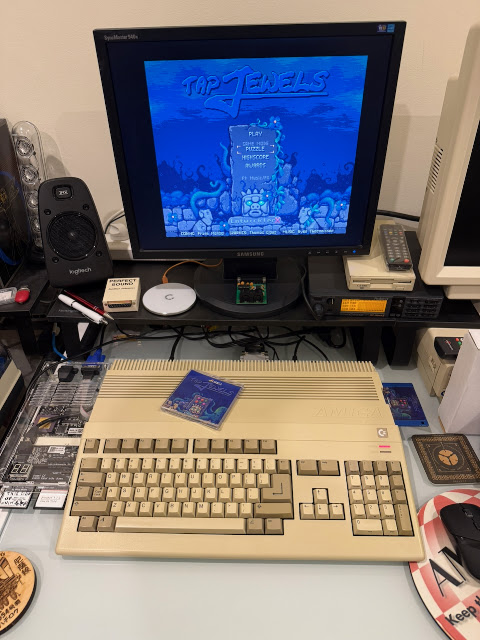
It is a game that involves selecting connected jewels of the same colour to remove them from the playing area, and the rest of the jewels above drop down, creating a puzzle to solve:
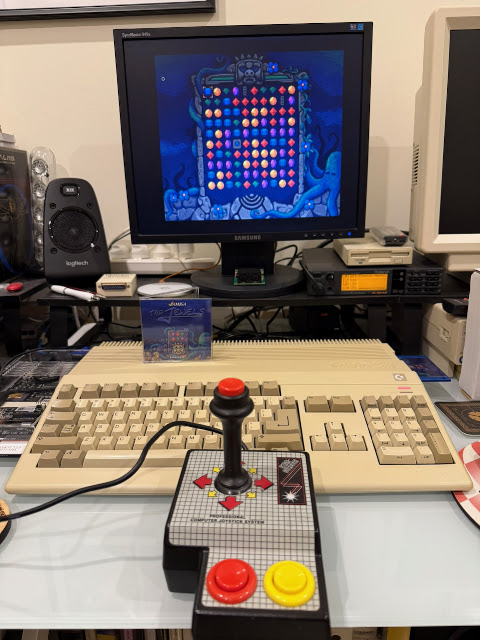
The aim is to clear the area of Jewels.
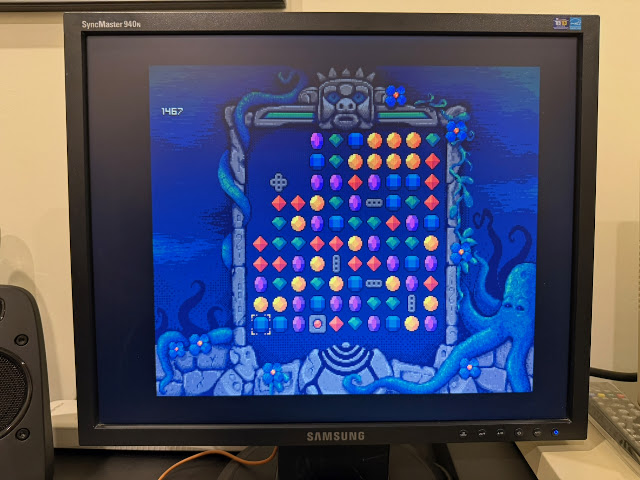
There are some plus and minus pieces scattered around that remove a whole horizontal line, a vertical line, or both! These are scarce resource in each level, and you need to plan carefully to make best use of them to help clear lines that don't have matching jewels to line up more to remove!
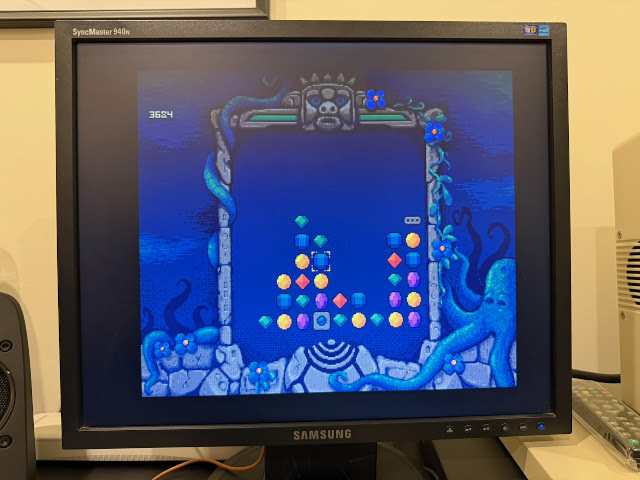
Admittedly, I am not great at this category of games, but I enjoyed playing Tap Jewels on my Amiga 500.
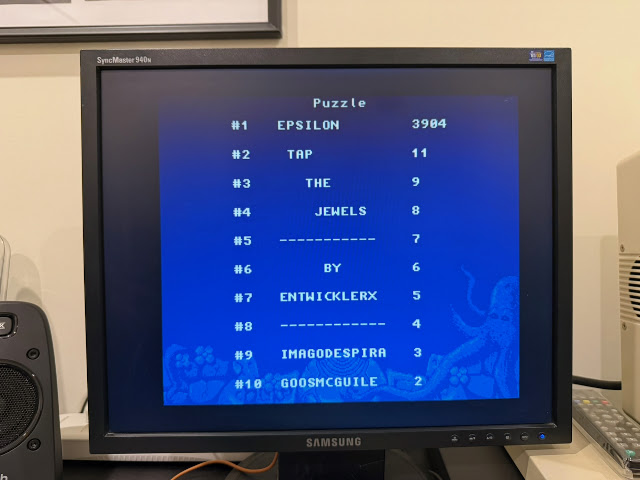
There are other play modes to explore, and I plan to make some time for that soon.
Next up is ARC4NERD, a new arkanoid inspired game for the Amiga.
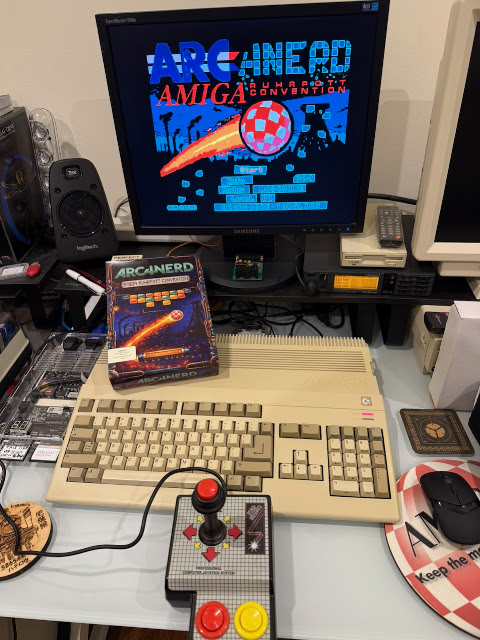
Sadly the game is in German only, but it is not difficult to work it out. Bat, ball, things to hit and remove. It is not rocket science.
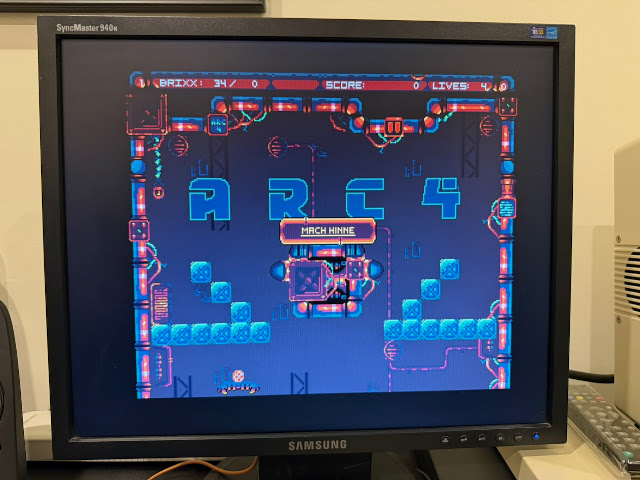
Your ball is a boing ball, naturally.
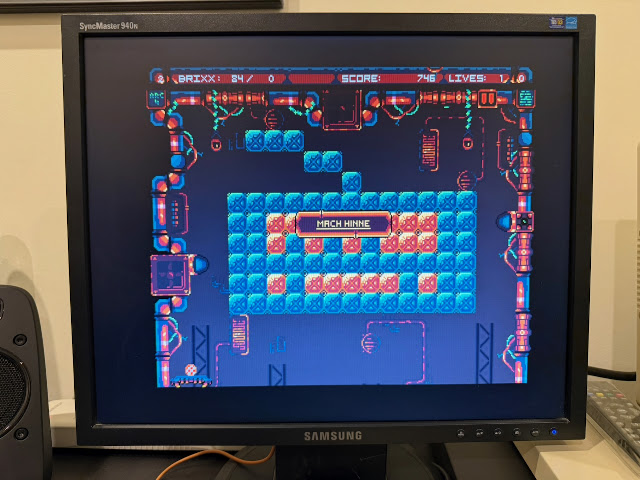
Disks fall from the screen with upgrades for your bat to make clearing levels easier, the same as in Arkanoid.


There are more new boxed Amiga games I picked up too - Farmiga, Ami Robbo 2 and Santastic. These 3 new titles are published by K&A from Poland, who produce the very excellent K&A Plus magazine covering Amiga and C64 scenes still in 2026.


Each level you need to collect all the presents to fill Santa's bag, which is shown in the status screen how you are progressing towards that goal.

It is a typical platform game - collect them up and go to the exit, and if you like this genre of game, you will enjoy this.


It is an attractive game, but unfortunately for me doesn't have the cuteness factor such games need to hold my interest.

Grinding endlessly through farming tasks has to have something at the other end to make it interesting to keep you grinding away.


You can buy Chickens, cows, sheep, beehive, cats and rabbits.

The grocery store allows you to buy essential supplies to build your farm:


There have been a number of updates released for the A1200NG since its release.

Amibench has been updated with a new Amibrowser for modern web browsing from the Classic Amiga environment.

I quickly fired up the browser to check it out. Being greeted by the modern google search page with full detail was nice to see:


As you would expect, Amiga websites render well on Amibrowser, as they do on native Amiga browsers like iBrowse, AWeb, etc.

There are links in Amibrowser to info about the A1200NG if you want to learn more - mind you, I already have one so, hmm.


But of course, the important thing is can it handle modern web browsing. I went to YouTube as this never works on classic Amiga systems.

I am pleased to report YouTube works well and plays back videos clearly!

That is probably the biggest criticism of this system to be honest. It is not fast enough to emulate higher spec Amiga systems. Above 030, it will struggle to handle things. You won't be running 060 AGA demos on this system.

But if you don't care about that, and just want to run your favourite Amiga 500 games on it, it will work well enough. The Amibench environment is good for running applications, although note that it uses an AROS kickstart rom as the copyright roms can't be distributed with it, so AmiBench is not fully compatible with everything you can throw at an Amiga to run.


on the A1200NG, I can select pretty much any game or demo released from 1985 to today using Amiga Vision through a simple two navigate AGS application menus with joystick or keyboard.

Mean Arenas time methinks - love this game:

You can also hit escape on the AGS menu to boot into Workbench.

From Workbench you can launch a number of applications and tools, and listen to a pile of included mods using Deliplayer or your favourite Amiga audio application!

There is no shortage of options included with Amiga Vision out of the box. I own this original software legally so I have no problem with using it in this distribution.

Deluxe Paint V is there, ready to use:

SCALA MM400 is there as well, dongle free and ready to use:

I should spend some more time learning how to use SCALA - it is a cool looking alternative to Powerpoint for the Amiga, released (as Infochannel originally) around the same time as Powerpoint was released on Macintosh - back in 1987. SCALA MM400 for Amiga is from 1994 and SCALA still exists in 2026, as SCALA Designer for modern computer platforms like Windows and Linux. I wonder if it still imports MM400 scripts... :-)


Development tools like AMOS professional 2 are also included on the Amiga Vision HDF. All ready to run - it agrees nicely with my laziness not to have to do it all from scratch myself :-)

Moving back to the A1200NG configurations, if you use the ADF disks with dedicated demoscene configurations on the A1200NG, A500 demos and low end AGA demos prior to 1996 work well.


Lastly for this post, I found out about a remake of the A600 keyboard as a new mechanical keyboard, much like the once I put in the A1200NG system above.

The TS600 mechanical keyboard comes from Sordan.ie, and includes US, UK and DE keycaps in the box. Out of the box it is setup for US, which is what I need here in Australia. I chose blue switches for that clicky feel and sound. :-)

They also sell replacement mechanical keyboards for other Amiga models too. They offer a black keycap set with white lettering if you prefer that - I did consider it for a while for the A600!


The back of the new TS600 keyboard looks 3d printed compared to the metal casing for the old keyboard.

You can see the connector port for the cable to route to the A600 motherboard, and selectors for the function of the extra TS key:


The new keyboard has much flatter keys than the original keys, which is more visible in close up photos:

Naturally it is up to you if you like this look or not. Personally I prefer the original key sizing and appearance, but these keys feel so much nicer when typing on them.


However, it is not thin enough to fit the connector unless you remove the plastic lift up bit securing the ribbon cable to the connector first.


It fits snugly but is easy enough to remove when needed.

Being a very busy internal setup in the A600 with all the upgrades, it is quite a job to thread everything back together to be able to close the case again!

Feeding the Indivision ECS cable, USB cables, Pistsorm HDMI output through the tiny gap in the gotek floppy drive casing and then the floppy drive port case exterior...


Some other angles:

I really need a solution for the spaghetti junction of cables coming out of the side of my A600 - any suggestions that don't involve cutting the case or de-soldering chips on the motherboard are welcome!

I then connected the VGA and HDMI outputs to the Checkmate monitor to test it all works still - I am glad to say it does:

The RTG Workbench soon appears, powered by the Pistorm 600 installed in the system.

The keyboard works as expected, and I am very happy with the outcome. My A600 looks great again!
